Explore the platform
Start with the plants that need attention. Follow the evidence behind an asset decision and the work that follows. This product tour is open without an account.
Start with your fleet
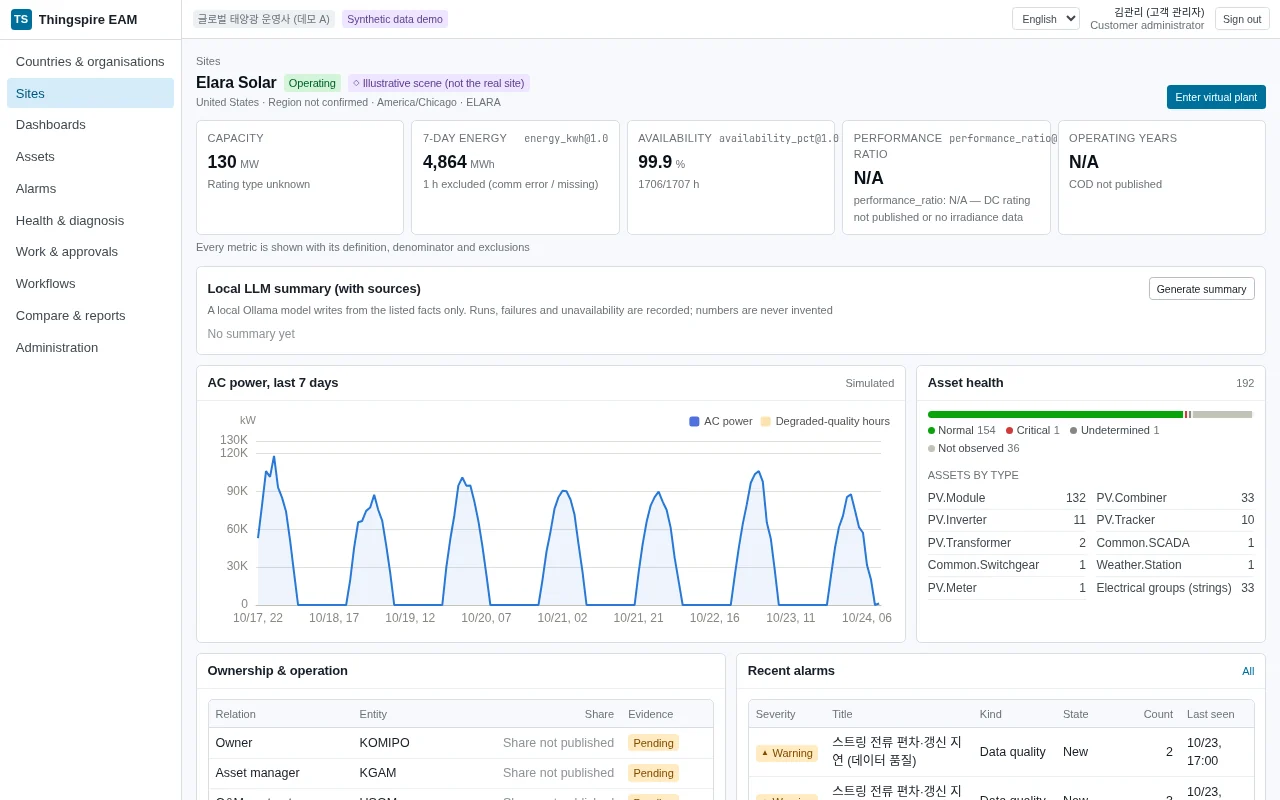
Compare plants by country and organisation, then inspect site measurements and asset health. Missing or unverified values are not operating results.

Inspect the evidence
View performance alongside asset condition. Check the source, quality and diagnosis behind a signal before deciding what action is needed.
From signal to reassessment
An incoming event is not a command to the field. Evidence review, approval and work results remain distinct steps.
Ingest
Check the source, timestamp and quality of incoming measurements and events.
Diagnose
Review alarms alongside original data and the evidence behind a finding.
Assess health
Inspect asset condition and assessment evidence to review work priorities.
Approve
An authorised owner approves or holds the proposed work request.
Request work
Track the approved request separately from the external work result.
Reassess
Use the returned result to review asset condition after the work.
Data and access
Separate what you can verify in the product from the operating conditions to agree before rollout.
- Know what is synthetic
- Equipment, measurements, alarms and work history are synthetic. Public plant facts retain their source and review date.
- Define the access scope
- The server checks access by organisation, site and role. Administrative actions and work approvals require the corresponding permissions.
- Confirm integration boundaries
- SAP and Maximo work dispatch is mocked. Actual interfaces, storage location, retention, recovery and support conditions need review for your deployment.
Bring a workflow to the table
Define your fleet scope, data sources and approval owners so a walkthrough can focus on the decisions you need to connect.
Getting started